
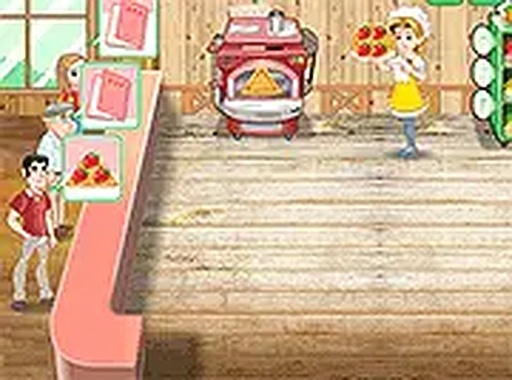
Order Flow and Kitchen Navigation
Each customer in Pizza Chef Speed Challenge arrives with a specific pizza request. You read the order, move to the prep area, and choose the correct ingredients. After assembly, the pizza goes into the oven, where timing determines the outcome: undercooked or burnt pizzas fail the order. Successful deliveries add coins to your balance. The loop is simple to understand but demands quick decisions as orders stack up.Patience Bars and Prioritization
A visible patience bar above every customer shows how long they will wait. It drains at a steady rate, and if it empties, the order is lost and no coins are earned. This pushes you to scan the room and serve customers with the least patience first, even while juggling multiple pizzas at different stages. Speed matters, but so does accuracy—selecting a wrong topping wastes precious seconds.Upgrades and Gradual Difficulty
Coins from completed orders can be spent on upgrades. A faster oven reduces baking time, improved ingredient stations speed up assembly, and decorative items can raise customer satisfaction. Early levels introduce basic orders with few customers, letting you learn the mechanics. Later, orders include more toppings and special requests, and customer volume rises. The upgrade system provides a clear sense of progression and rewards efficient play.Visual Style and Controls
The game uses bright, colorful graphics that create a welcoming atmosphere for all ages. Controls are simple point-and-click interactions, so it runs in a web browser on both desktop and mobile devices. No downloads or installations are required, and you can start playing immediately on any device with an internet connection.Editorial Notes
Compatibility
This H5 game runs smoothly on:
• Desktop computers (Windows / Mac) • Mobile phones (iPhone / Android)
• Tablets (iPad / Android)
🌐 Best experienced with Chrome, Safari, or Edge






Comments
0 comments