
Designing Faces with Stickers and Patterns
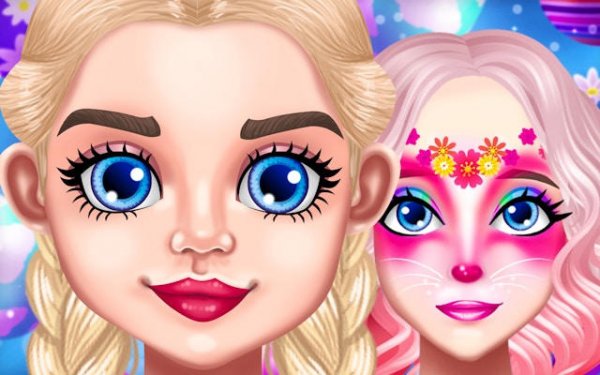
In Springtime Stylist: Face Art & Fashion, the main canvas is a character's face. You apply stickers, patterns, and colors directly onto it using a click-and-drag interface. Placement is flexible—elements can go anywhere on the face—and you can layer them to build more detailed designs, such as overlapping flower petals or a bunny motif combined with pastel dots. An undo button removes the last addition, so trying a risky combination costs nothing. Because nothing is locked or scored, each face can end up completely different from the last.
Coordinating Hair and Accessories
Once the face art feels right, the game moves to a second customization step. You pick a hairstyle from options like ponytails, braids, or loose styles, then add accessories such as headbands, hats, or bows. These choices are meant to complement the face design, not compete with it. The two-step flow—face first, then hair and accessories—encourages you to think about the whole look rather than isolated parts. You can return to any earlier choice and adjust it without starting over.
Spring Theme as a Starting Point
The spring theme runs through the available stickers and patterns. Motifs include blooming flowers, butterflies, rainbows, and Easter eggs, with a palette that leans on pastels and brighter accent colors. These aren't mandatory; they simply provide a seasonal starting point. You can follow the theme closely or ignore it and mix in unrelated elements. The result is a tool that supports both guided and fully open-ended design.
A No-Pressure Creative Space
There are no timers, scores, or wrong choices. The controls rely on clicking and dragging, which keeps the game accessible to younger players and adults alike. You can save favorite designs to revisit later or clear everything for a fresh start. That combination makes it suitable for a quiet break or a shared activity with family, where the goal is simply to enjoy the process rather than reach a finish line.

Comments
0 comments